What is the FIR Items Tracker?
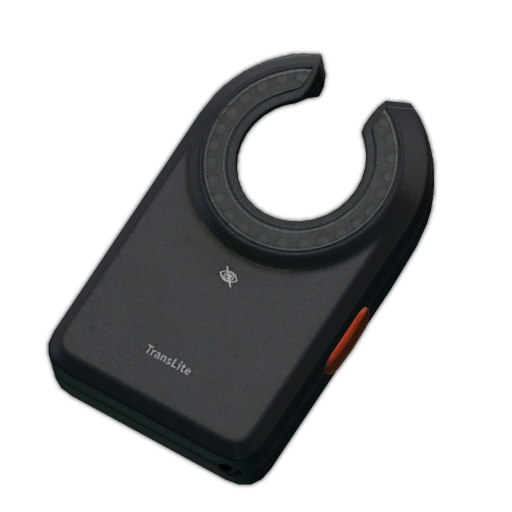
The FIR (Found in Raid) Items Tracker is a real-time overlay that displays the valuable items you've found during your Tarkov raids. It's perfect for:
- Quest item tracking (show viewers your progress)
- Highlighting valuable loot finds (LEDX, GPU, etc.)
- Documenting your loot runs
- Creating excitement when finding rare items
- Engaging with chat about your finds
Key Features
- Real-time updates via Twitch chat commands
- High-quality item images from Tarkov item database
- Quantity tracking (shows how many of each item)
- Customizable colors, sizes, and layouts
- Smooth animations when items are added/removed
Popular Use Cases
Quest Tracking
Show your viewers your quest progress. Need 3 Flash drives? Add them to your overlay as you find them:
!firadd Flash drive!fir+ Flash drive!fir+ Flash driveYour overlay now shows "Flash drive x3" - viewers can see your progress!
Loot Bragging
Found a LEDX in Shoreline Resort? Show it off instantly:
!firadd LEDXLEDX appears on stream with smooth animation
Your chat will see the item appear on stream with a smooth animation. Create hype moments!
Hideout Farming
Track GPUs, Tetriz, and other hideout items across multiple raids:
!firadd GPU!firadd Tetriz!fir+ GPUBarter Item Tracking
Farming items for a barter trade? Show your progress toward the trade:
!firadd AESA!firadd Military power filter!firadd Military cableSetup Guide
- Sign up and configure: Create your account on our Tarkov OBS overlay platform
- Customize appearance: Choose your layout (horizontal/vertical), colors, size, and animation settings
- Add to OBS: Copy your Browser Source URL and add it to OBS Studio (see detailed setup guide)
- Position on stream: Drag and place the overlay where you want it (popular: bottom center or top center)
- Test with commands: Use
!firadd LEDXin your Twitch chat to test
Customization Options
Layout
- • Horizontal (items in a row)
- • Vertical (items stacked)
Size
- • Small (compact)
- • Medium (default)
- • Large (highly visible)
Colors
- • Animation color
- • Card background
- • Text color
- • Backdrop blur
Animations
- • Enable/disable animations
- • Smooth item additions
- • Fade-out on removal
All customization is done in your dashboard with live preview. Changes apply instantly to your stream.
FIR Commands Quick Reference
Add New Item
Add a new FIR item to your overlay. Sets quantity to 1.
!firadd LEDX!firadd [item]LEDX appears on overlay with quantity 1
Increase Quantity
Increase item quantity by 1. Creates item if it doesn't exist.
!fir+ GPU!fir+ [item]GPU quantity increases by 1
Decrease Quantity
Decrease item quantity by 1. Removes item if quantity reaches 0.
!fir- LEDX!fir- [item]LEDX quantity decreases by 1
Remove Item
Completely remove an item from the overlay (any quantity).
!firremove Bitcoin!firremove [item]Bitcoin is completely removed
Clear All
Remove all FIR items from the overlay. Use at start of stream.
!firclear!firclearAll items are removed
See the full command guide: Complete chat commands reference
Frequently Asked Questions
Can I track multiple items at once?
Yes! Add as many items as you want. The overlay dynamically adjusts to show all tracked items.
Does it work with modded items or future items?
The tracker uses the official Tarkov item database. It's updated regularly with new items from patches and wipes.
Can viewers see my tracked items?
Yes! That's the point. The overlay appears on your stream, so viewers can see your loot in real-time.
Do items persist between streams?
Yes, items stay until you remove them. Use !firclear at the start of each stream to reset.